✔ Most labs choose the middle setup
View Lab Kit OptionsStop Label Failures in Cold Storage
No smudge. No fading. No relabeling.
Clear labels on small vials, even in cold storage.
Designed for peptide vials and real lab workflows.
Shop Lab Kit
Designed for Real Lab Labeling Scenarios


Why Lab Labels Fail During Daily Use
- Weak adhesion in cold storage
- Ink fades after alcohol wipe or cleaning
- Small vial labels become hard to read
- Relabeling slows down daily lab workflows


Fits Small Vials Without Wasting Space
Designed for 2ml / 3ml / 5ml lab containers

After switching to M2
Clear Labels That Stay Readable in Real Lab Use
- Stays attached in standard cold storage
- Text remains clear after alcohol wipes and daily handling
- Fits small vials without wasting label space
- No relabeling, fewer workflow interruptions
No Smudge — Even After Alcohol Wipes
Sharp, readable text for daily lab handling.


No Peeling During Daily Lab Handling
Strong adhesion for vials, tubes, and lab containers.
Print in Seconds
Mobile → Print → Apply


Apply Instantly
Peel and stick with precision
Why Most Labels Fail — And Why M2 Doesn’t
- Peels in cold
- Fades with alcohol
- Short lifespan
- Stable at -22°C
- Chemical resistant
- Long-lasting clarity

Used daily in real lab workflows
Proven Reliable by Lab Professionals

Need More Supplies Later?
Keep your M2 system running with compatible labels and ribbons.
Choose the Right Lab Setup for Your Workflow
View Starter / Standard / Pro Kits✔ No setup guesswork · ✔ Works out of the box
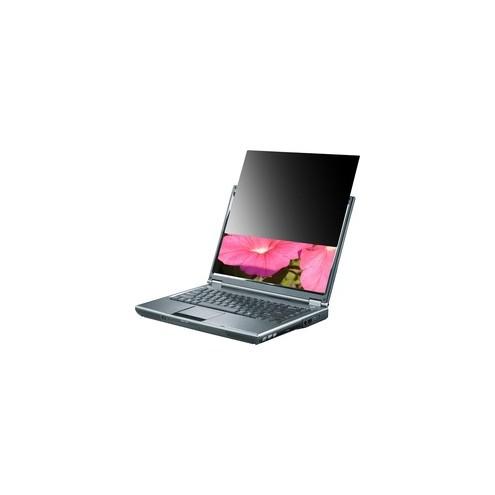
Compucessory Notebook Privacy Filters - For 12.1" Widescreen Notebook
SHARE:
Compucessory Notebook Privacy Filters - For 12.1" Widescreen Notebook
Monitor Filters Screen Protectors Compucessory Computer Accessories Antiglare Anti Glare Anti-Glare Screens Notebook Privacy Filter Lcd Display Size Supported 12 1" Widescreen Height 6 43" Width 10 25"
Privacy filter for notebooks blacks out image to prevent unauthorized viewing from the side. Design helps ensure the privacy of on-screen data on your 12.1" wide-screen notebook. Microlouver technology creates a narrow viewing angle so the image is only visible to those directly in front of the screen. Side view is black. Frameless filter overlays surface for a built-in look and can stay in the notebook when it is closed. Filter also eliminates glare, increases contrast and protects LCD surface from damage.
- Oosder Part No# : CCS20660
- Manufacturer :Compucessory
- Catalog SKU# : CCS 20660
- UNSPSC# : 43212001
- Weight : 2 lb
When you place an order, we will estimate shipping and delivery dates for you based on the availability of your items and the shipping options you choose. Depending on the shipping provider you choose, shipping date estimates may appear on the shipping quotes page.
When you place an order, we will estimate shipping and delivery dates for you based on the availability of your items and the shipping options you choose. Depending on the shipping provider you choose, shipping date estimates may appear on the shipping quotes page.
Please also note that the shipping rates for many items we sell are weight-based. The weight of any such item can be found on its detail page. To reflect the policies of the shipping companies we use, all weights will be rounded up to the next full pound.
Returns Policy You may return most new, unopened items within 90 days of delivery for a full refund. We'll also pay the return shipping costs if the return is a result of our error (you received an incorrect or defective item, etc.).
You should expect to receive your refund within four weeks of giving your package to the return shipper, however, in many cases you will receive a refund more quickly. This time period includes the transit time for us to receive your return from the shipper (5 to 10 business days), the time it takes us to process your return once we receive it (3 to 5 business days), and the time it takes your bank to process our refund request (5 to 10 business days).
If you need to return an item, simply login to your account, view the order using the 'Complete Orders' link under the My Account menu and click the Return Item(s) button. We'll notify you via e-mail of your refund once we've received and processed the returned item.